All help topics
Quotes and prices
Products
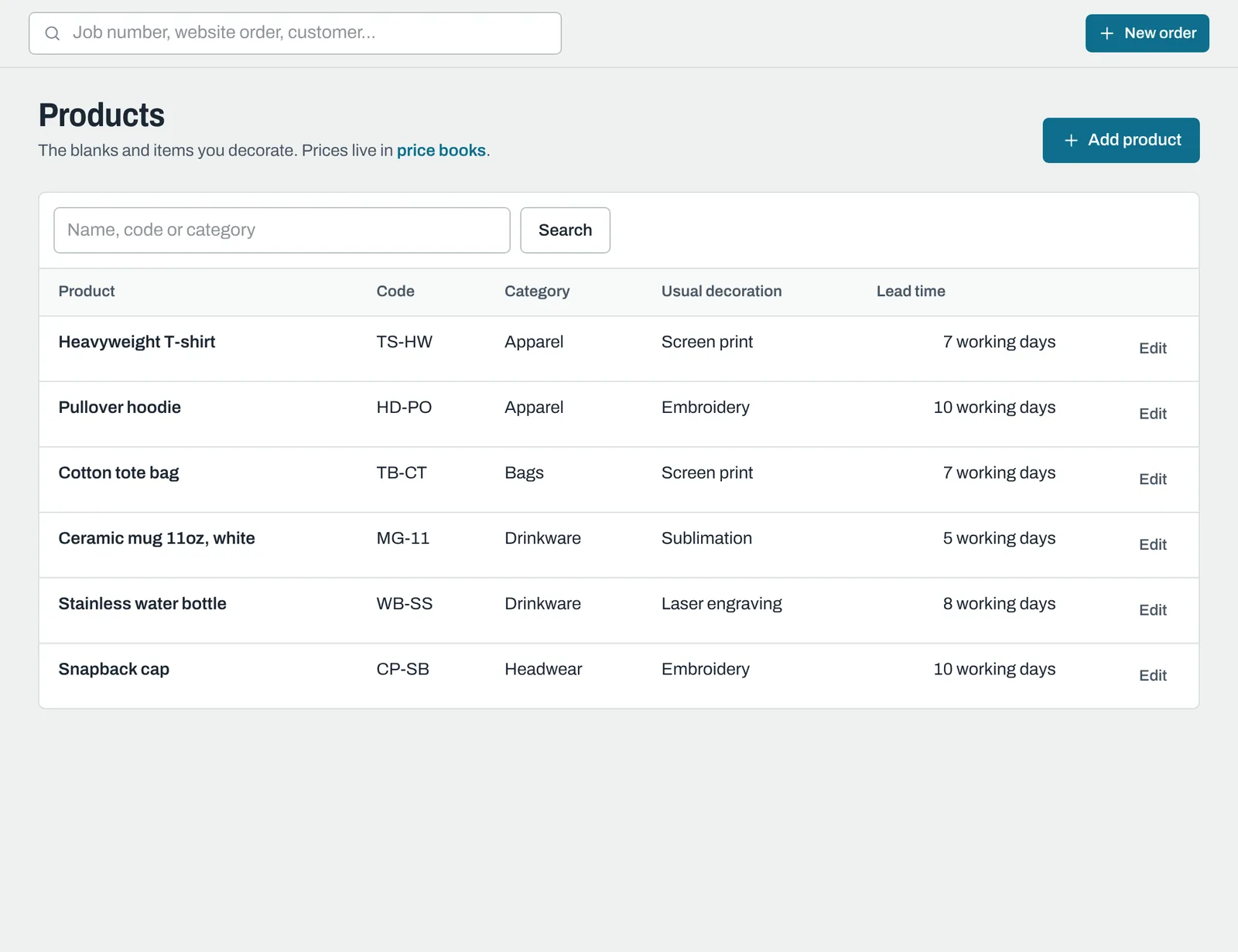
The blanks and items you decorate, their usual decoration and lead times.
Products are the things you decorate: T-shirts, hoodies, mugs, bottles, tote bags and so on. Adding them makes orders quicker to enter, gives orders a due date automatically, and lets quotes price themselves.
Click Products in the sidebar.
Adding a product
Click Add product and fill in:
| Field | What it's for |
|---|---|
| Name | For example "Ceramic mug 11oz, white". |
| Product code | Optional, your own code or the supplier's. |
| Category | Optional, for grouping, for example Apparel or Drinkware. |
| Usual decoration | For example Screen print or Embroidery. It's filled in when you pick the product on an order or quote. |
| Lead time (working days) | How long it usually takes, used to set due dates on new orders. |
| Description | Optional notes. |
| Show this product on new orders and quotes | Untick to hide a product you no longer sell, without deleting it. |
Click Add product, then set its prices in a price book.
Changing or deleting a product
Click Edit next to the product. Changes don't affect orders and quotes you've already made. Delete removes it from the list; existing orders and quotes that used it are kept as they are.
Still need help? Email [email protected] with your business's address and what you were trying to do.