All help topics
Settings and account
Business details and branding
Your logo, colour and contact details, what customers see, alerts, and numbering and quote settings.
Open Settings > Business and branding. Only the Owner and Admins can change these settings. Click Save settings at the bottom when you're done.
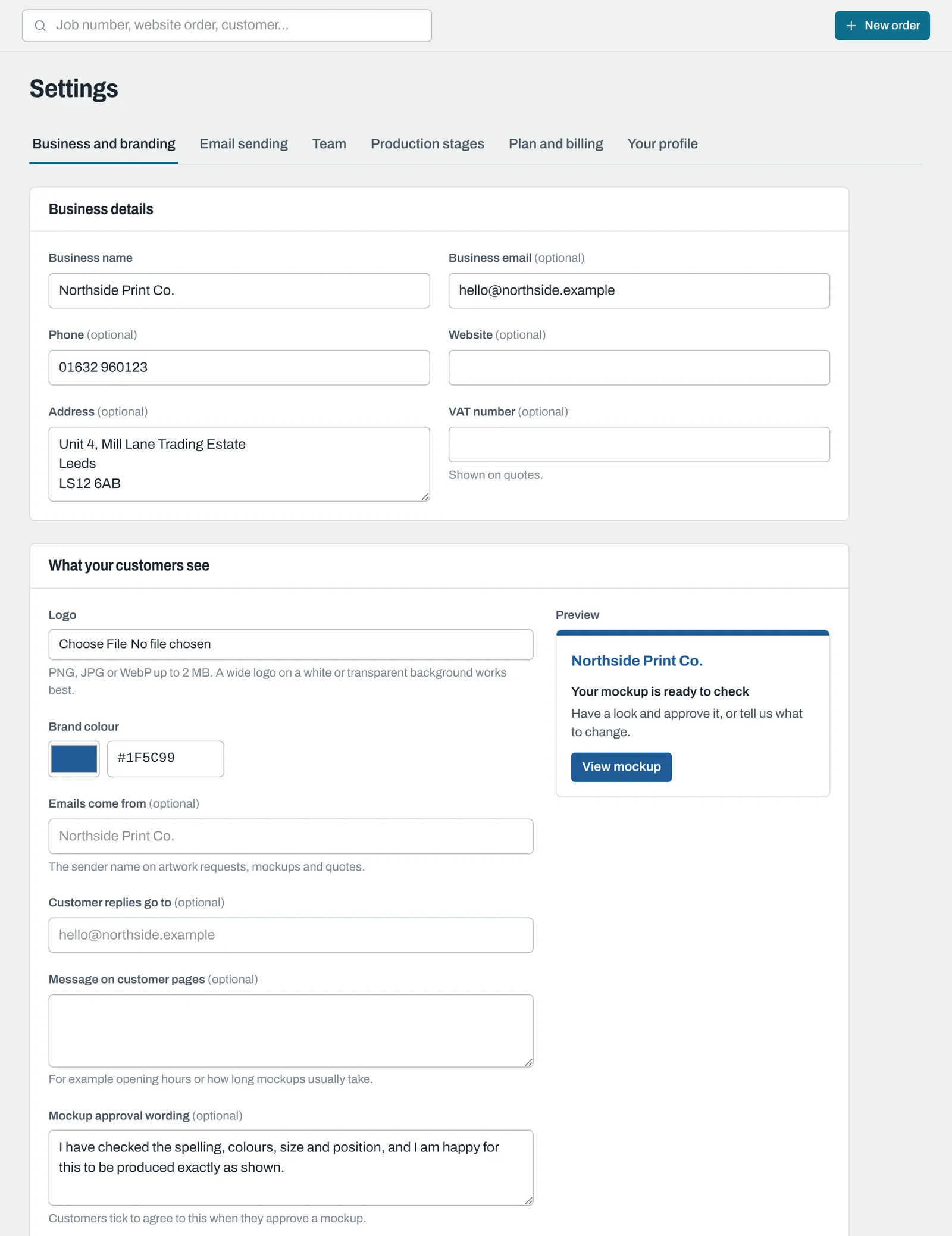
Business details
- Your address: your business's ArtworkDesk address. Contact support to change it.
- Business name: shown to customers on every page and email.
- Business email: used for customer replies if you don't set a separate reply address.
- Phone and Address: shown on customers' pages and in your email footers.
- VAT number: shown on quotes.
What your customers see
- Logo: PNG, JPG or WebP up to 2 MB. A wide logo on a white or transparent background works best.
- Brand colour: used for buttons, headings and accents on customers' pages and emails. Text on it switches between black and white automatically so it stays readable.
- Emails come from: the sender name on your emails, usually your business name.
- Customer replies go to: where replies to your emails go.
- Message on customer pages: shown at the top of each customer's order page, for example your opening hours or how long mockups usually take. You can set a different message on a single order with Edit > Message shown to the customer.
- Mockup approval wording: the statement customers tick to agree to when they approve a mockup.
The Preview shows how your emails will look.
To send emails from your own email address, see Sending emails from your own domain.
Alerts
ArtworkDesk emails your team when a customer uploads artwork, approves a mockup, asks for changes, or accepts or declines a quote.
- Enter addresses in Send team alerts to (separated by commas) to send every alert there, for example a shared studio inbox.
- Leave it empty to alert each Owner, Admin and Sales and design team member who has alerts turned on in their profile. See Your profile, password and alerts.
Quotes and orders
| Setting | What it does |
|---|---|
| Currency | The currency for quotes. |
| Default VAT % | The VAT rate on new quote lines. |
| Time zone | Used for dates and times. |
| Quote number prefix | Q gives Q-1001. |
| Job number prefix | JOB gives JOB-1001. Changing it only affects new orders. |
| Quotes valid for (days) | Sets the Valid until date on new quotes. |
| Default lead time (working days) | Used for due dates when products don't have their own lead time. |
| Remind about mockups after (days) | How long before customers are reminded about a mockup. 0 turns reminders off. |
| Standard quote terms | The terms on new quotes. |
Still need help? Email [email protected] with your business's address and what you were trying to do.