All help topics
Orders
Finding orders
The Orders list, its tabs and filters, and the search bar.
The Orders list
Click Orders in the sidebar.
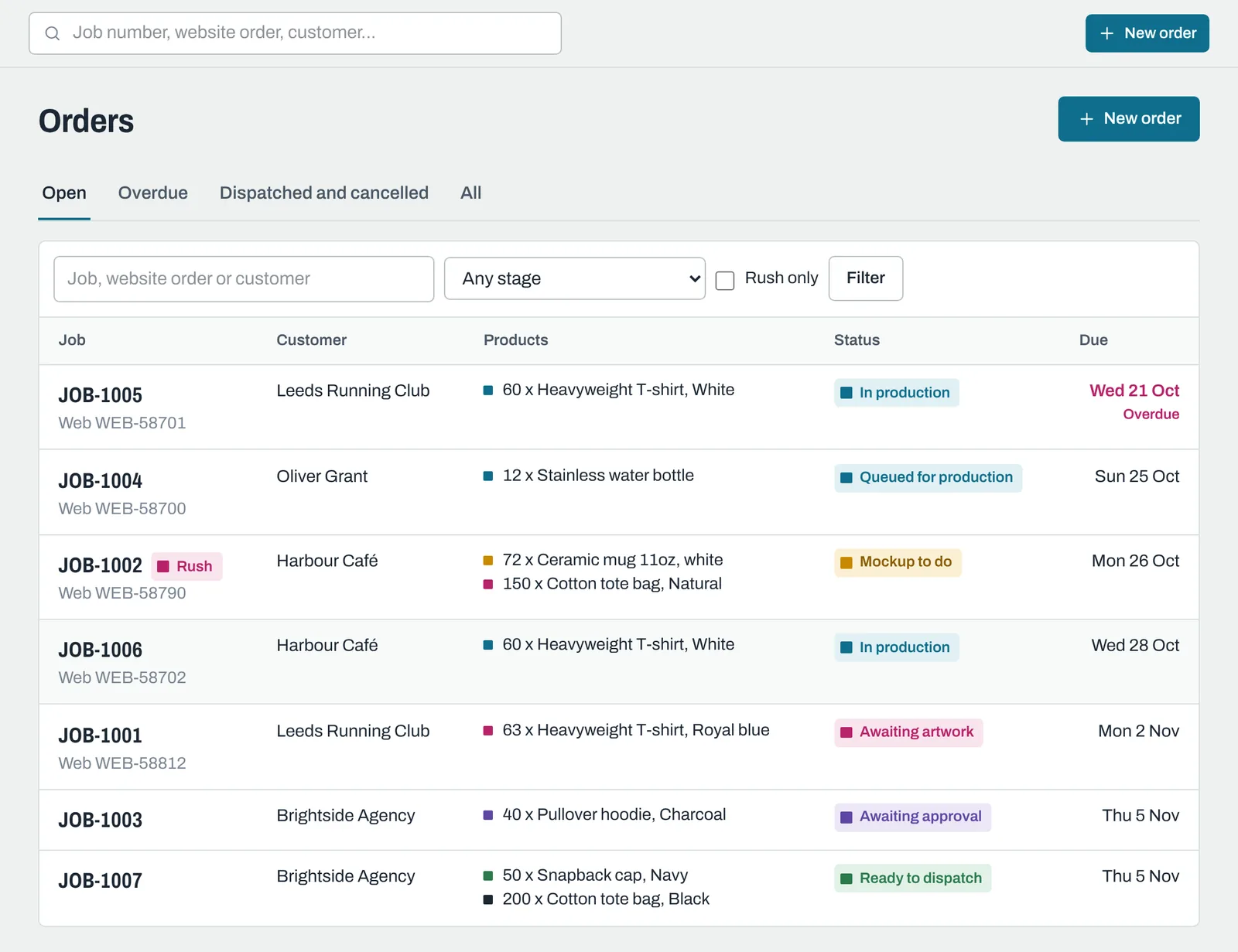
- Tabs: Open, Overdue, Dispatched and cancelled and All.
- Search: by job number, website order number or customer.
- Any stage: show orders with at least one line at a particular status, for example every order with a line Awaiting approval.
- Rush only: show only rush orders.
Click Filter to apply your choices. Orders are listed by due date, soonest first, with no-due-date orders last. The Dispatched and cancelled tab shows the most recently updated first.
The search bar
The search box at the top of every page finds:
- orders by job number, website order number, customer name, company or email, or the description of any product on them;
- customers by name, company, email or phone;
- quotes by number or title.
If you type a full job number or website order number and exactly one order matches, that order opens straight away. Otherwise you'll see a list of everything that matches.
Still need help? Email [email protected] with your business's address and what you were trying to do.