All help topics
Artwork and mockups
What your customer sees
Your customers' pages for their order, mockups and quotes, with no account or password needed.
Your customers never need an account. Artwork requests, mockup emails and quotes each have a private link to a page in your colours, with your logo, phone and email at the top.
Their order page
The link in artwork request emails opens the customer's page for that order (dispatch emails link to the carrier's tracking instead; use Customer link on the order to send this page yourself). It shows:
- your message at the top, if you've set one (see Business details and branding);
- Your mockup is ready to check, with a View and approve button for each mockup waiting;
- Send us your design, for uploading artwork, while any product still needs it;
- Your products, each with its status in plain words (for example "Preparing your mockup") and a link to its latest mockup;
- Delivery, with tracking links once you've dispatched.
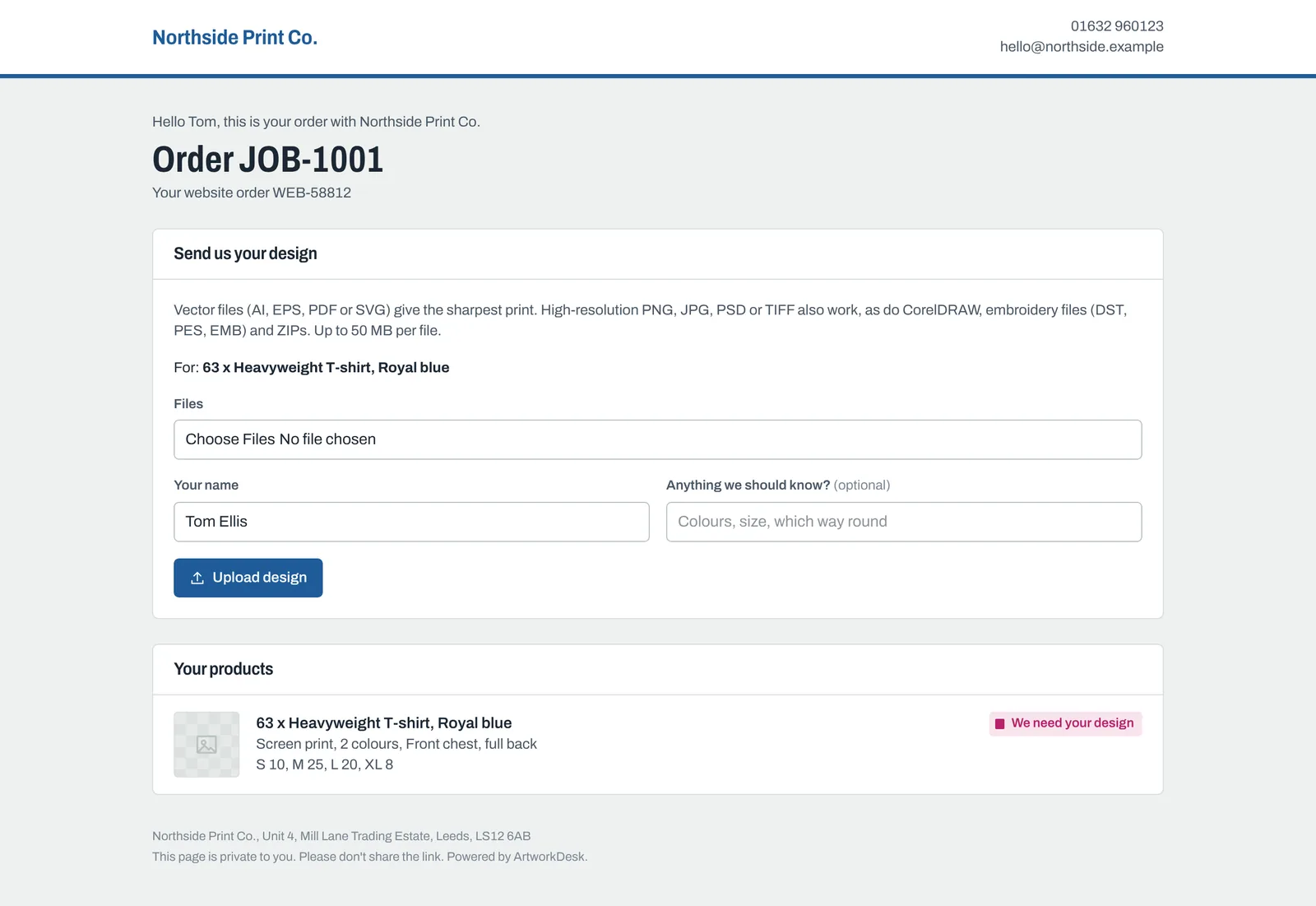
Customers never see your internal notes or the line instructions.
Their mockup page
The View the mockup button opens the mockup large, on a checked background so they can see transparent areas. If you sent several files they can switch between them; a PDF has an Open the PDF button. Your message appears underneath.
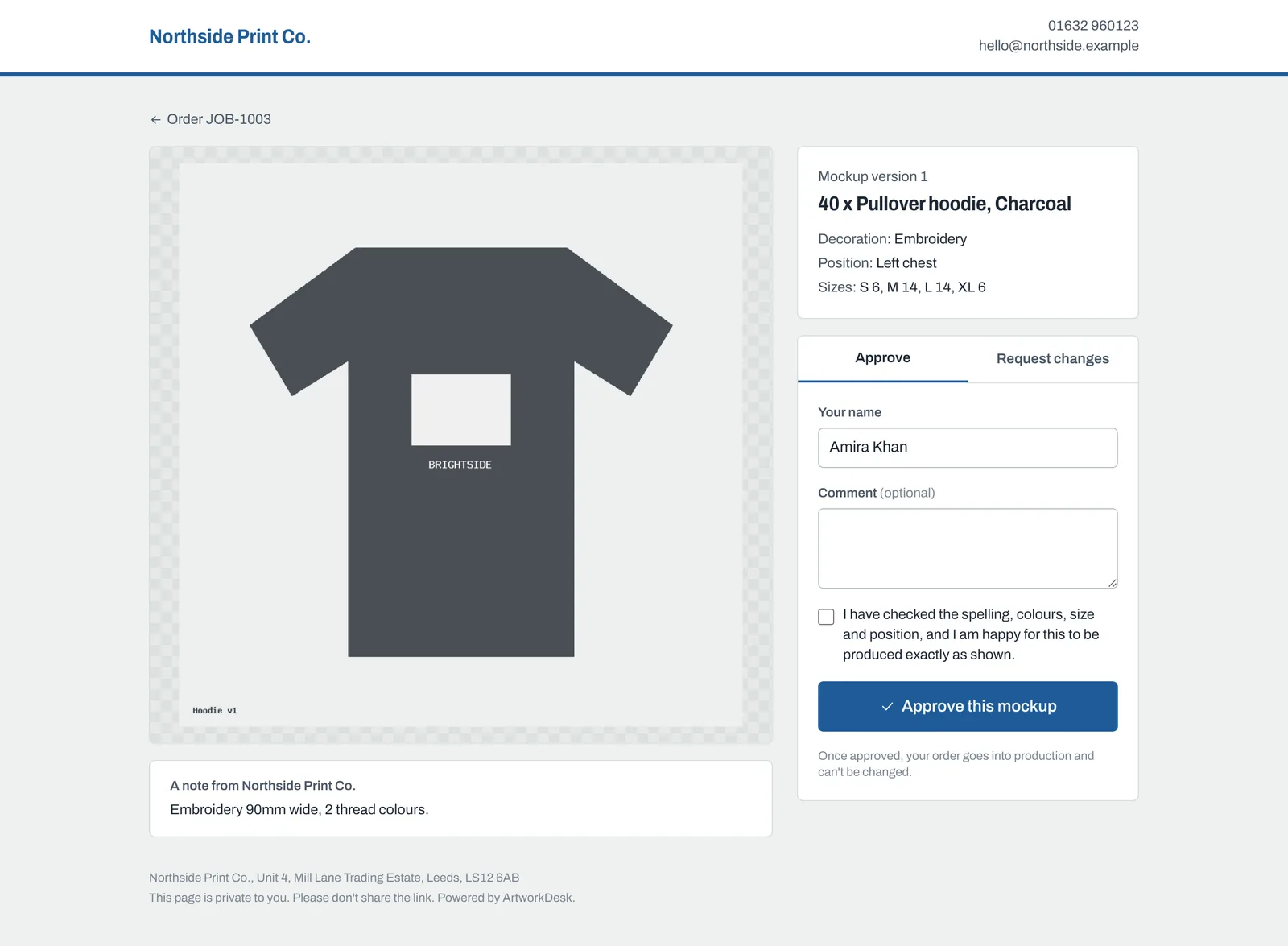
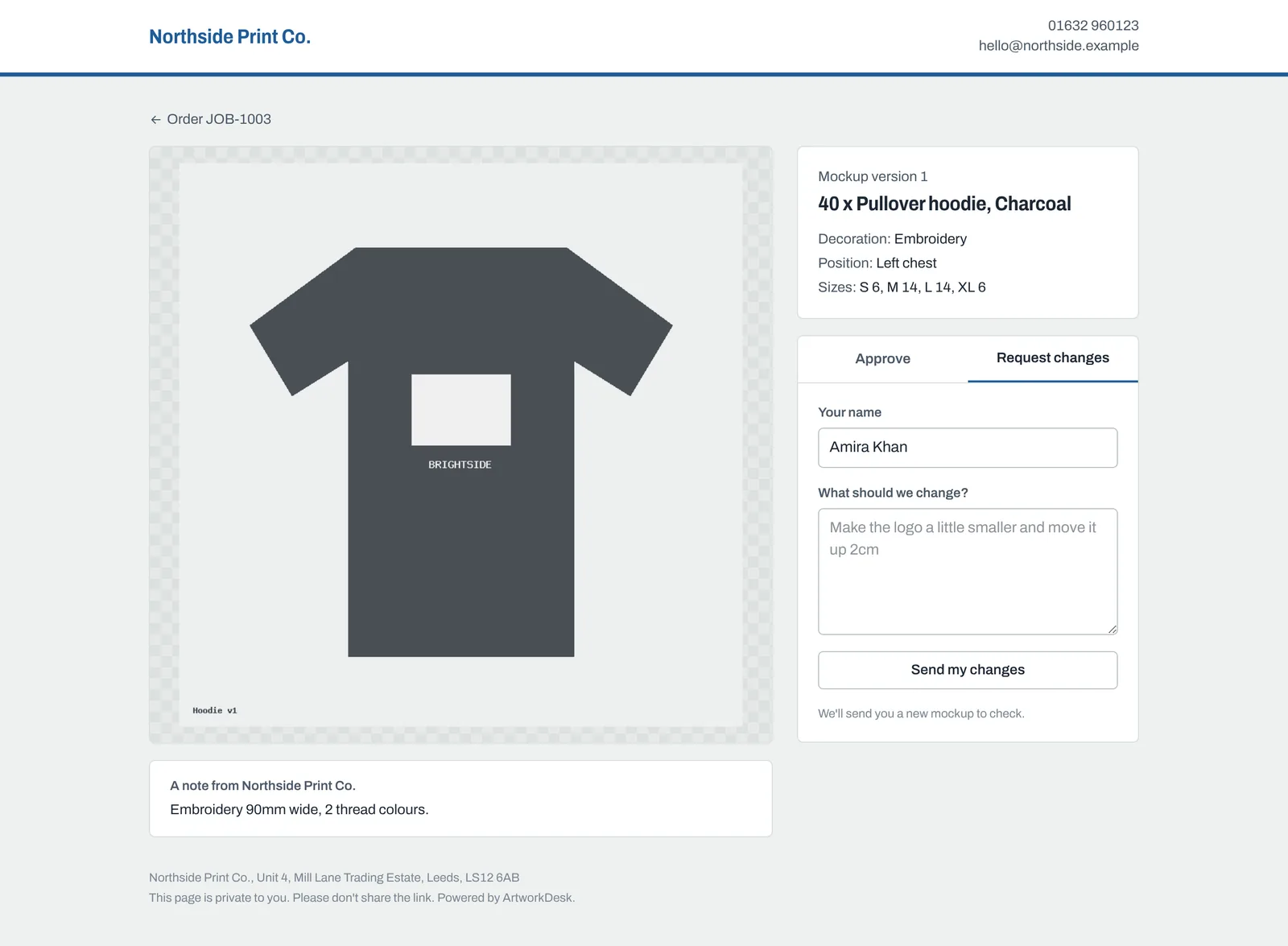
They then choose:
- Approve: they type their name, tick the box confirming they've checked it (your Mockup approval wording), and click Approve this mockup. It's then in your production queue and can't be changed.
- Request changes: they type their name and what to change, then click Send my changes.
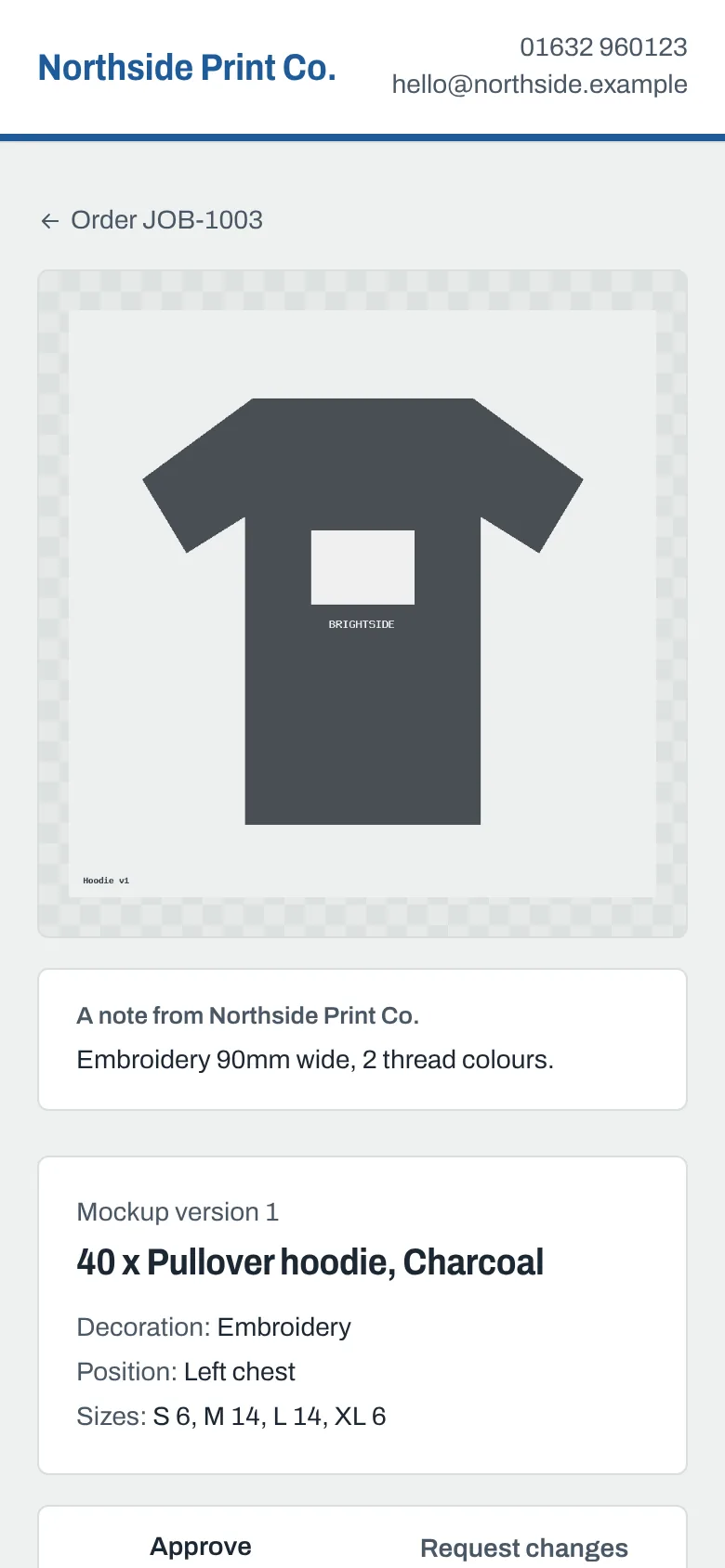
The page works well on phones, which is where many customers will open it.
Their quote page
The link in a quote email opens a printable quote with Accept quote and No thanks. See Accepting and approving quotes.
All their orders on one page
Each customer also has one link that lists all their orders and quotes. Find it on the customer's page under Customer page > Copy link. It's never sent automatically: share it when it's useful, for example with a regular customer. See Customers.
Keeping links private
Links contain a long random code, so they can't be guessed, and they don't expire. Pages are hidden from search engines. Each page reminds the customer not to share the link.
Still need help? Email [email protected] with your business's address and what you were trying to do.