All help topics
Quotes and prices
Price books
Quantity-break prices and setup fees for each product, and different prices for trade customers.
A price book holds your prices for each product, broken down by quantity, with an optional setup fee. When you build a quote, ArtworkDesk picks the right price for the quantity automatically.
Your account starts with one price book, Standard prices, which is the default for every customer. You can add more, for example Trade or Schools, and give them to particular customers.
Setting prices
Click Price books, then Edit prices on a book.
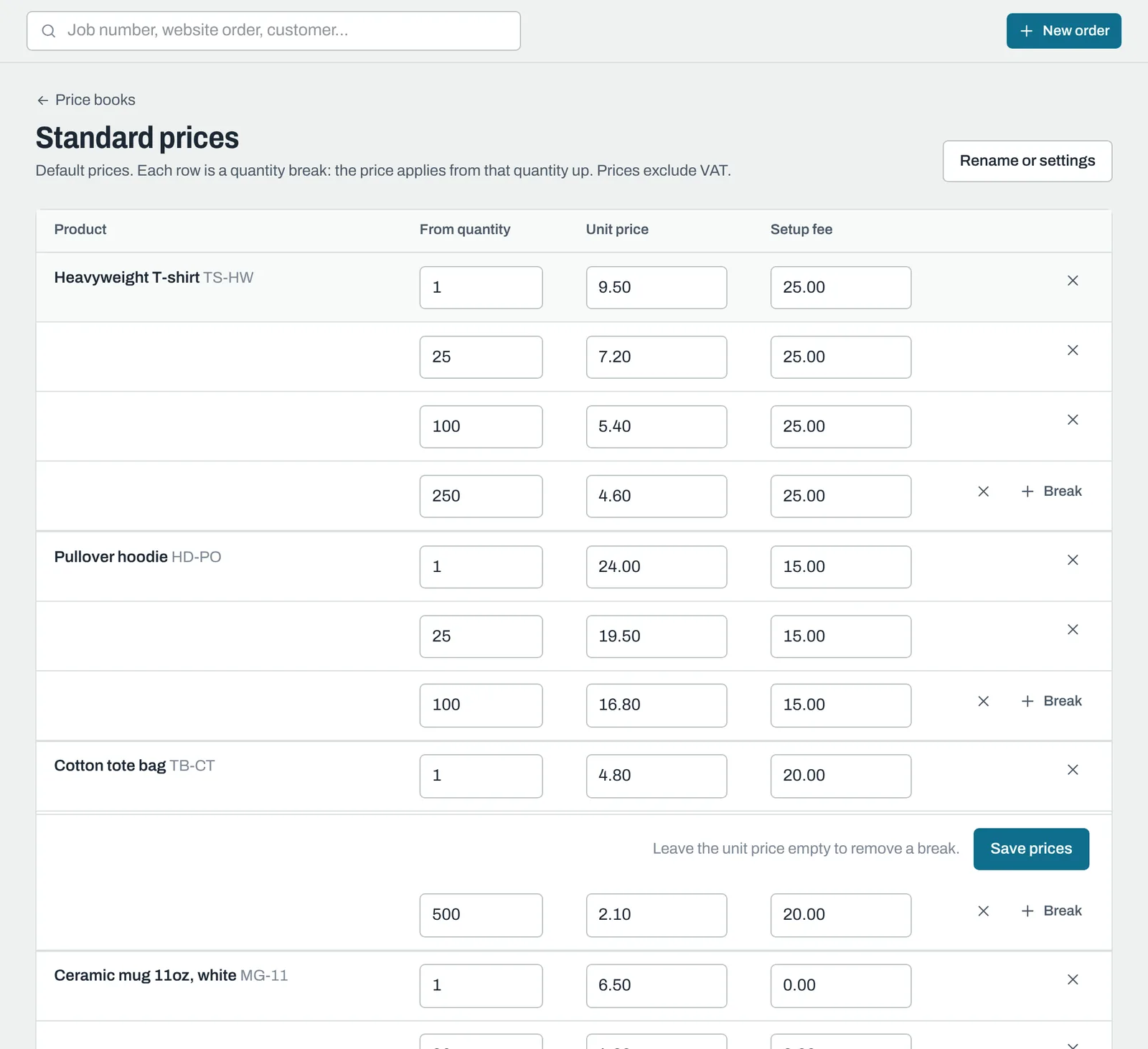
Each product has rows of quantity breaks. Each row is the price from that quantity up:
| From quantity | Unit price | Setup fee |
|---|---|---|
| 1 | £9.50 | £25.00 |
| 25 | £7.20 | £25.00 |
| 100 | £5.40 | £25.00 |
With these prices, 60 T-shirts are £7.20 each, and 100 or more are £5.40 each. Quantities below your lowest break use the lowest break's price.
- Click + Break to add a row, and x to remove one.
- Leave a unit price empty to remove that break.
- Click Save prices.
Prices exclude VAT. Hidden products don't appear here.
Setup fees
If a break has a setup fee, quotes automatically add a separate "Setup: (product)" line with that fee. It's a charge line: it appears on the quote but isn't made in production.
A price book for some customers
- Click New price book, give it a Name and, to save time, choose Start with prices from to copy another book's prices.
- Click Create price book, then adjust the prices.
- On each customer who should get these prices, click Edit and choose the book under Price book.
Quotes for those customers then use their book. Everyone else gets the default.
To make a different book the default, open it, click Rename or settings and tick Default for customers without their own price book. Untick In use to stop a book being offered without deleting it.
Still need help? Email [email protected] with your business's address and what you were trying to do.