All help topics
Settings and account
Sending emails from your own domain
Send from an address like [email protected] by adding one DNS record.
Every email ArtworkDesk sends for you carries your business name, and replies come to you. You can also choose the address it comes from.
Open Settings > Email sending (Owners and Admins).
Where your emails come from now
The top panel shows your current sender. Until you set up your own domain, emails come from your ArtworkDesk address, for example:
Northside Print Co. <[email protected]>
Replies go to the address in Customer replies go to in Business details and branding.
Using your own domain
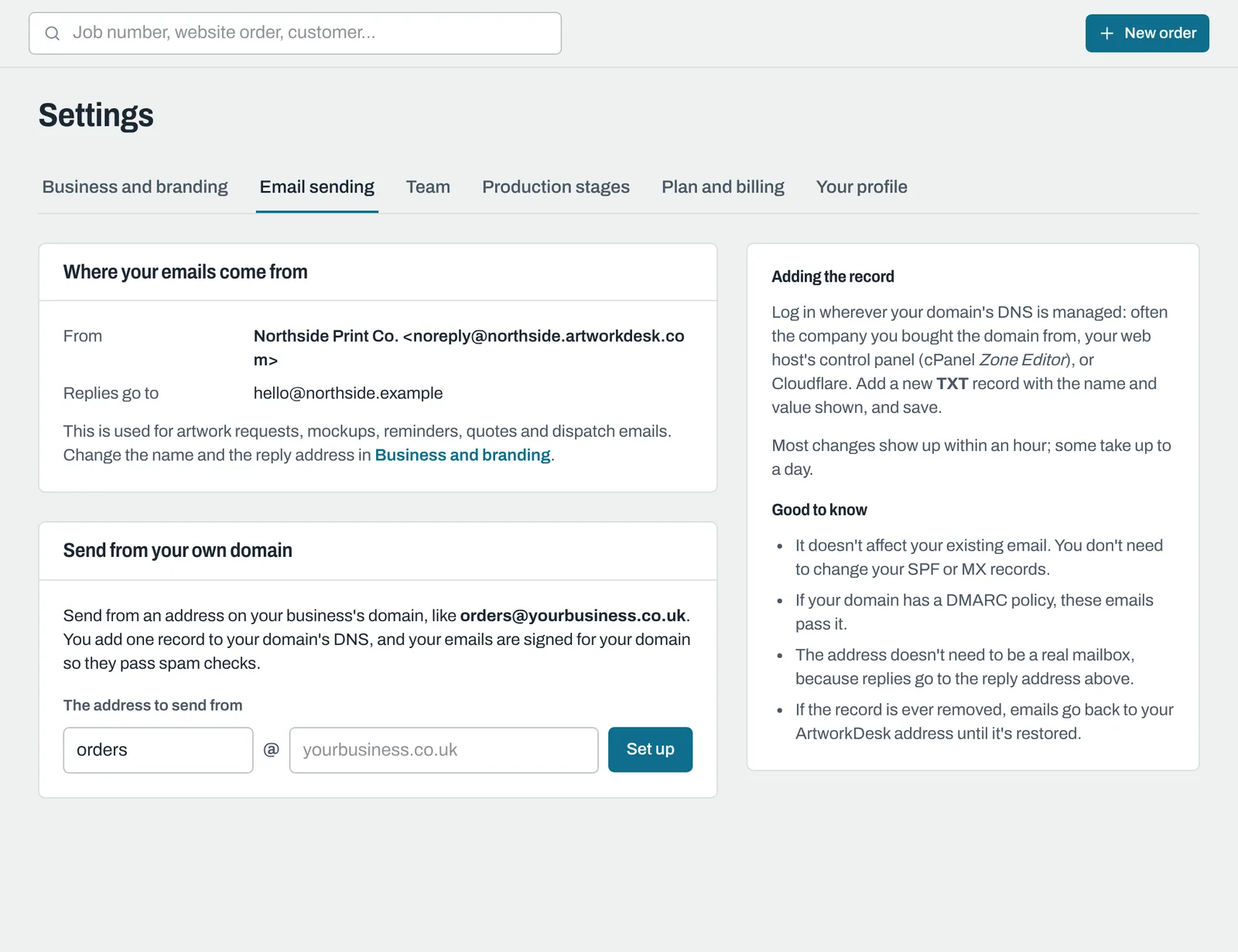
- Under Send from your own domain, enter the address to send from, for example orders @ yourbusiness.co.uk, and click Set up.
- ArtworkDesk shows a DNS record to add. Log in wherever your domain's DNS is managed (often the company you bought the domain from, your web host's control panel, or Cloudflare) and add a new record:
- Type: TXT
- Name (host): as shown, usually
artworkdesk._domainkey. Some providers want the full name, which is shown underneath. - Value (content): the long value startingv=DKIM1. Use Copy to copy it exactly. - Back in ArtworkDesk, click Check the record.
When the record is found, the status changes to Verified and your emails come from your own address straight away. New DNS records can take up to a few hours to appear; if it isn't found yet, try again later. ArtworkDesk also checks once a day, so you don't need to come back.
Good to know
- It doesn't affect your existing email. You don't need to change your SPF or MX records.
- Emails are signed for your domain, so they pass your domain's DMARC checks.
- The address doesn't need to be a real mailbox, because replies go to your reply address.
- To change only the part before the @, edit it and click Save; it takes effect straight away. A different domain needs a new record.
- If the record is removed, emails go back to your ArtworkDesk address (after two daily checks in a row fail) until it's restored.
- Free email addresses (Gmail, Outlook, Hotmail, Yahoo, iCloud, BT and similar) can't be used, because only the provider can change their DNS.
To stop, click Stop using this domain. You can then delete the DNS record.
Still need help? Email [email protected] with your business's address and what you were trying to do.