All help topics
Getting started
The dashboard
What the numbers and lists on your dashboard mean.
The dashboard is the first page you see after signing in. It shows where all your open work is right now.
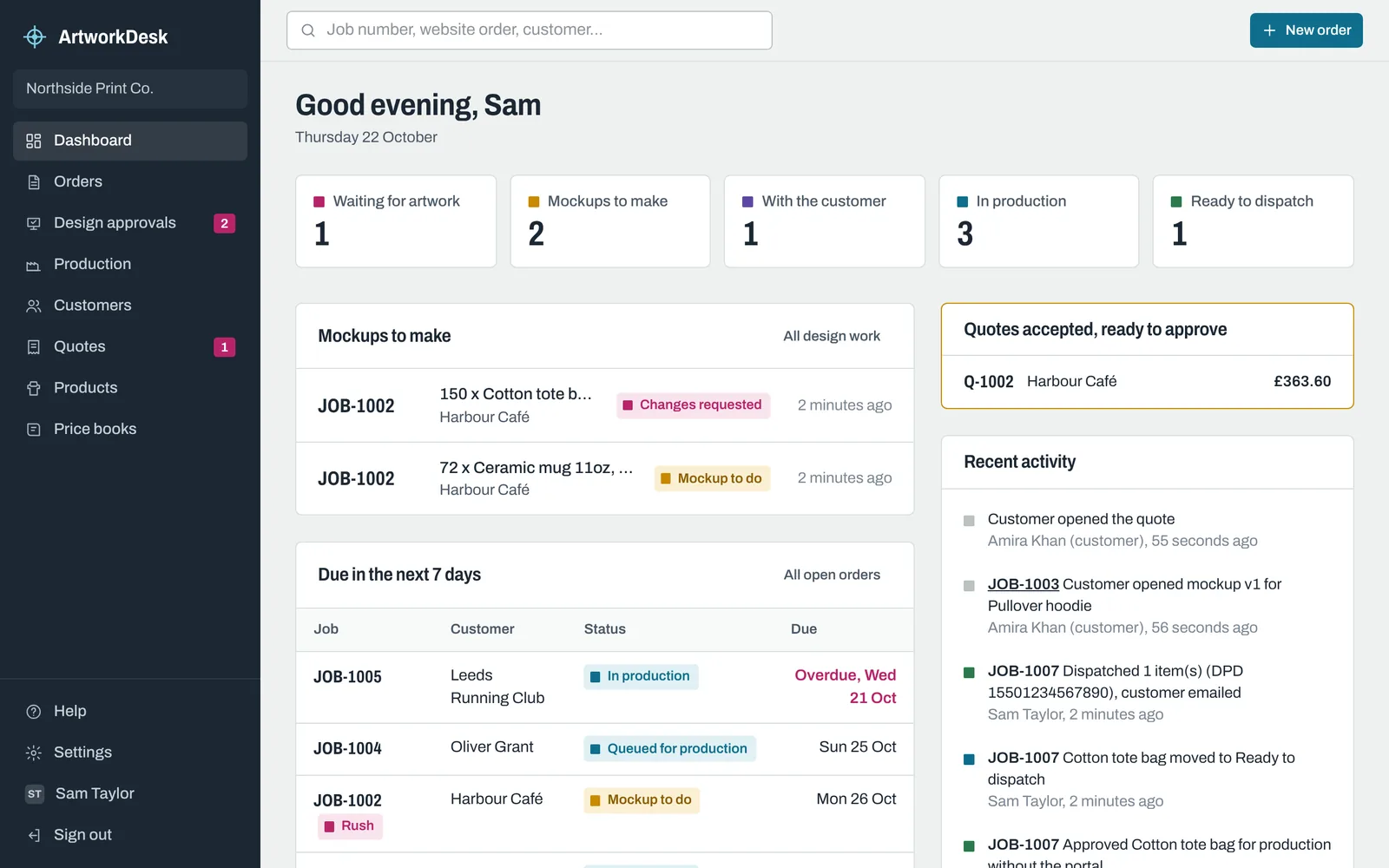
The five counts
The counts across the top are product lines, not orders. An order for hoodies and mugs counts as two lines, because each product gets its own artwork, mockup and production progress.
| Count | What's in it |
|---|---|
| Waiting for artwork | Lines where you're waiting for the customer's design. |
| Mockups to make | Lines with artwork, ready for a mockup, plus lines where the customer asked for changes. |
| With the customer | Lines where a mockup has been sent and you're waiting for the customer to answer. |
| In production | Approved lines, queued or on the production board. |
| Ready to dispatch | Lines in the Ready to dispatch column. |
Click a count to open the matching list.
The lists
- Mockups to make shows up to 8 lines that need a mockup, with changes requested first and then the longest waiting.
- Due in the next 7 days shows open orders due within a week, including any that are already overdue (in magenta). Rush orders are marked Rush.
- Quotes accepted, ready to approve appears when customers have accepted quotes that you haven't approved yet. See Accepting and approving quotes.
- Recent activity shows the latest things that happened, by your team and your customers.
Banners
When your free trial has 7 days or fewer left, or a subscription payment has failed, a banner across the top says so. The Owner can deal with both from Plan and billing.
Still need help? Email [email protected] with your business's address and what you were trying to do.