All help topics
Artwork and mockups
Changes, reminders and approving for the customer
When the customer asks for changes, when they don't answer, and when they approve by phone.
When the customer asks for changes
The line moves to Changes requested, your team gets an alert email, and the customer's comment appears on the line, on the timeline and at the top of Design approvals > Mockups to make.
Make the changes and send the new mockup from the same line. It goes out as the next version (v2, v3 and so on).
When the customer doesn't answer
ArtworkDesk reminds them for you. Once a day it emails any customer whose mockup has been waiting for a set number of days, and then again every time that many days pass, until they answer.
Set the number of days in Settings > Business and branding > Remind about mockups after (days). It's 3 to start with; 0 turns automatic reminders off.
To remind someone yourself, click Send reminder on the line, or Remind on Design approvals > With the customer.
When the customer approves by phone or email
If the customer says yes by phone or email, or it's a repeat of a design they've already approved, you can approve it for them:
- On the line, click Approve without the portal.
- Enter a Reason, for example "Customer approved by phone on Tuesday".
- Click Approve for production.
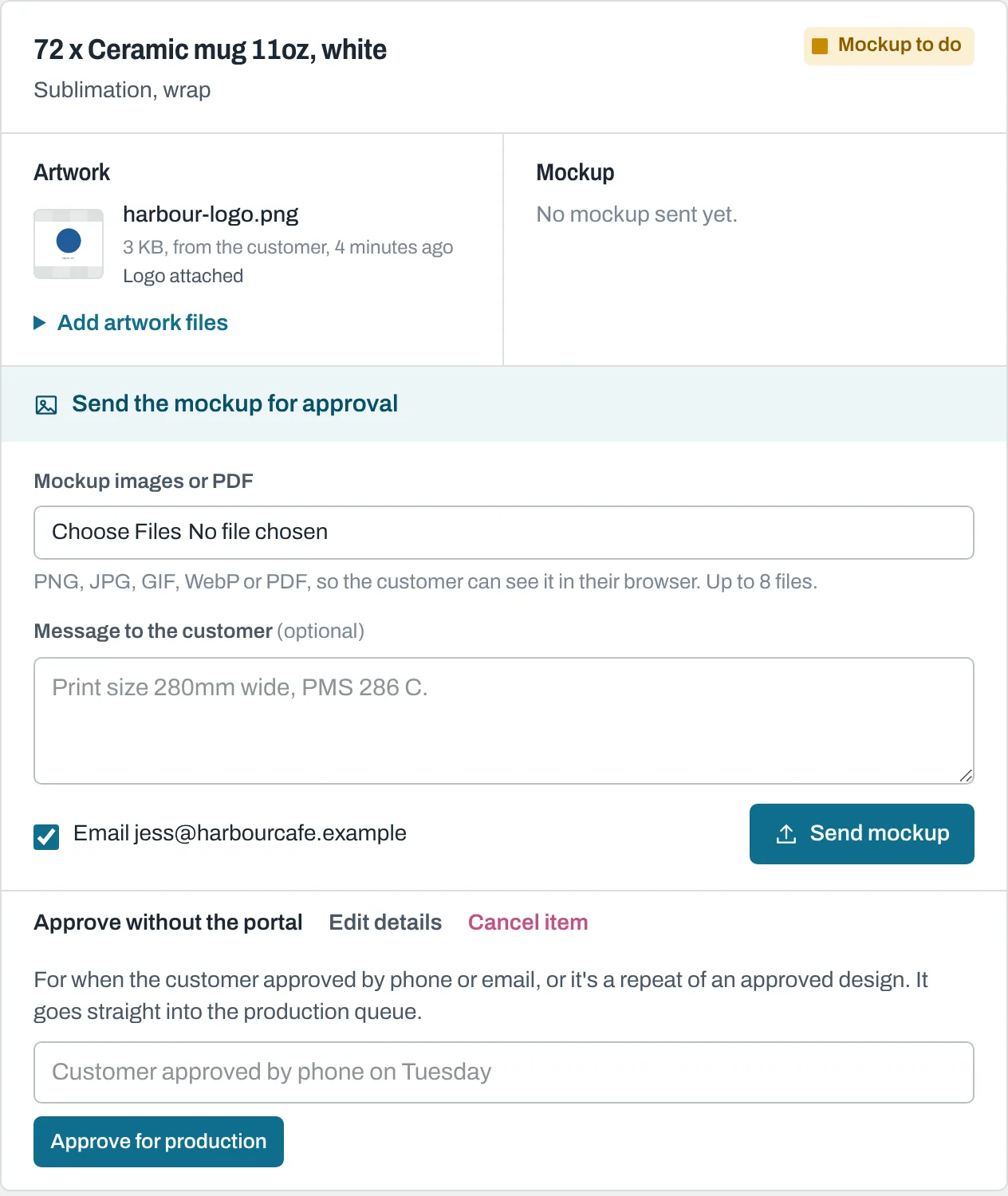
The line goes straight to Queued for production. The approval is recorded with your name, "on behalf of the customer", and your reason. No email is sent.
Still need help? Email [email protected] with your business's address and what you were trying to do.